StayPaused: stop autoplay videos and audio
Videos and audio stay paused until you press play, on every website. No more news sites starting a video the moment a page opens, and no more sound you did not ask for. For Chrome on your computer. No account, no tracking.
Add StayPaused to Chrome, free (opens chromewebstore.google.com)
How it works
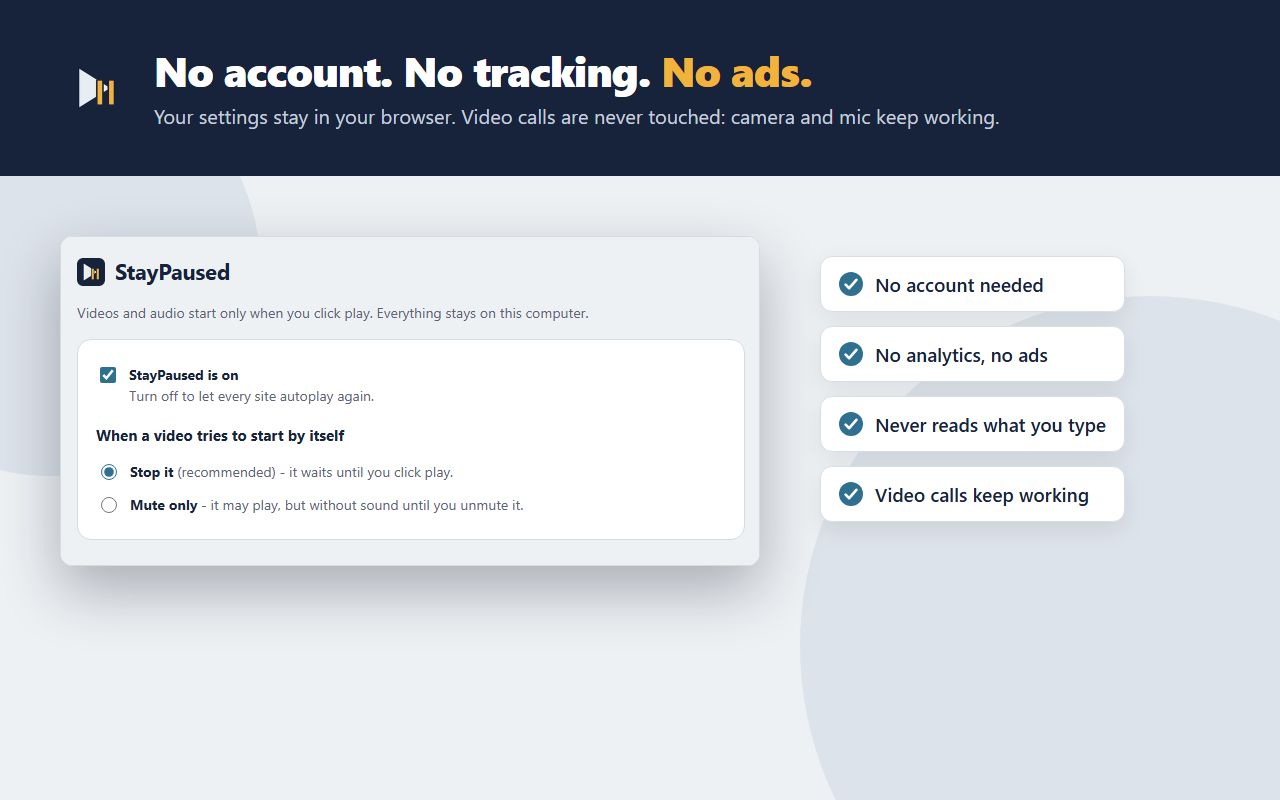
- Install it and you are done: video and audio on every site stay paused until you click play.
- Press play and the video plays as normal, with sound.
- Works inside embedded players, including players from other sites placed inside a page.
- Works on videos that appear later, for example while you scroll a feed.
- YouTube: with Stop selected, hover previews on thumbnails do not play.
- Video calls are never touched: your camera and microphone keep working in web meetings.
- The toolbar button shows how many videos were stopped on the current tab.
Step by step, and what Chrome can do on its own: how to stop autoplay videos in Chrome.
Free
- Stop autoplay on every site.
- Allow autoplay on sites you trust: one click on the toolbar button and that site autoplays as before. Click again and reload the page to stop it.
- "Mute only" mode: videos may play, but without sound until you unmute them. Sites cannot unmute themselves.
- An on/off switch to turn StayPaused off everywhere at once.
StayPaused Pro: $2.99, one time
No subscription. Everything that is free stays free.
- Per-site rules: choose Stop, Mute only or Allow for each website.
- Stop autoplay of the next video when one ends. On YouTube the up-next countdown is cancelled too.
- Sync your settings across your own Chrome browsers. It uses Chrome sync in your Google account; nothing goes to us.
- Keyboard shortcut Alt+Shift+S to allow or stop autoplay on the current site.
- Import and export your rules.
- Already paid on another computer? Use "Restore purchase".
Private by design
StayPaused has no accounts, no analytics and no ads. Your settings stay in your browser, on your device (with Pro sync on, Chrome also syncs them through your own Google account). It never reads what you type and keeps no browsing history. The only outside connection is the Pro licence check with the payment service ExtensionPay, and it does not include the sites you visit. Details: StayPaused privacy policy.
Why the permissions?
- Access to all websites: autoplay can happen on any site and inside players from any domain, so StayPaused runs on every page to keep media paused there. It only looks at video and audio elements and the site's address, on your device.
- Scripting: switches its page helper on or off for the sites you allow, so allowed sites get no script at all.
- Storage: keeps your settings on your device.
Questions
Can I still let some sites autoplay?
Yes. Open the site, click the StayPaused toolbar button and allow autoplay there. That site then behaves as before. Click again and reload the page to stop it.
I only mind the sound. Can videos play silently?
Yes. Choose "Mute only" in Settings. Videos may start, but they stay silent until you unmute them yourself.
Does it stop YouTube from playing the next video?
The free version keeps videos paused when a page opens and, in Stop mode, keeps YouTube hover previews from playing. Stopping the next video when one ends, including YouTube's up-next countdown, is part of Pro.
Do I need an account?
No. Install StayPaused from the Chrome Web Store and it works straight away.
Does StayPaused track my browsing?
No. It keeps no browsing history and never sends the sites you visit anywhere.
Does it work on phones?
No. StayPaused is a Chrome extension for Chrome on a computer (Windows, Mac, Linux and ChromeOS).
Get StayPaused free on the Chrome Web Store
Questions or ideas: hello@ideasandfinds.com · Privacy · Also from NiAnimo: TimeFence, a website blocker with daily time limits.